Scenic Draft 0.20 and 0.21: A Photographic Camera, a Wider Gamut and Faces
scenic-draft is a TypeScript library for rendering 3D scenes in the browser. You describe the shapes and lighting, and it generates a shader to draw them.
The previous posts covered custom GLSL and the other changes up to 0.19.0.
Versions 0.20.0 and 0.21.0 add photographic camera settings, a wider colour space and shapes defined by their corners. Some primitives also move to a separate package.
| Version | What landed |
|---|---|
| 0.20.0 | A photographic camera: focalLength, sensor, fStop and worldUnit, replacing zoom and aperture. colorSpace, and a Display P3 render. A licence. |
| 0.21.0 | triangle and triangles, and hexPrism, triPrism and link out into scenic-draft-extras with quad and quads for company. |
Camera settings
Previously, the camera used a zoom factor and an aperture radius in world units. Version 0.20.0 replaces them with settings closer to those on a physical camera:
| Field | Default | |
|---|---|---|
focalLength | 35 | The lens, in millimetres. Longer is a narrower view of the same scene. |
sensor | 36 | What it projects onto, in millimetres across the shorter side of the frame. |
fStop | (absent) | The f-number. Smaller is wider open; absent is a pinhole, and everything is sharp. |
worldUnit | 1000 | How many millimetres one world unit is — a world unit is a metre. |
focalLength and sensor determine the field of view: 2 * atan(sensor / (2 * focalLength)). A longer focal length gives a narrower view.
The default sensor is 36mm across the shorter side of the image. This convention matters when comparing the framing with a physical camera.
To keep an object the same size with a longer lens, move the camera further away. Let's compare:
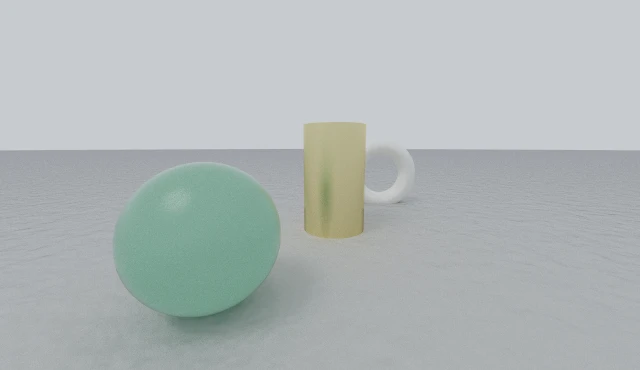
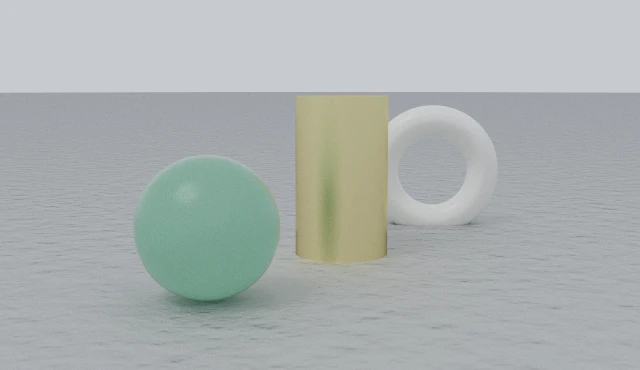
The jade sphere is about the same size in both images. With the longer lens, the camera is three and a half times further away, so the gaps between objects look compressed. The closer, wider view makes those gaps more apparent.
The f-number
fStop is focal length divided by aperture diameter. A smaller number means a wider opening: f/1.4 is wider than f/11. Omit it for a pinhole camera with everything in focus.
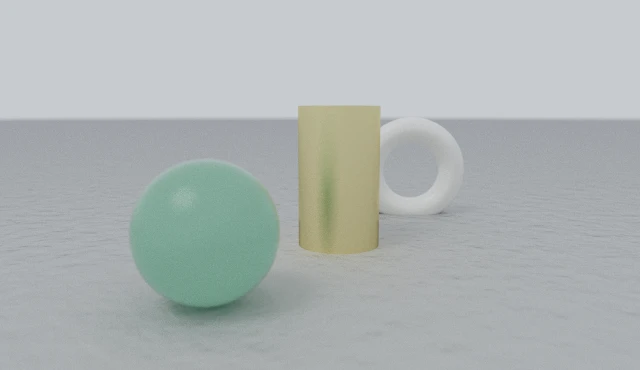
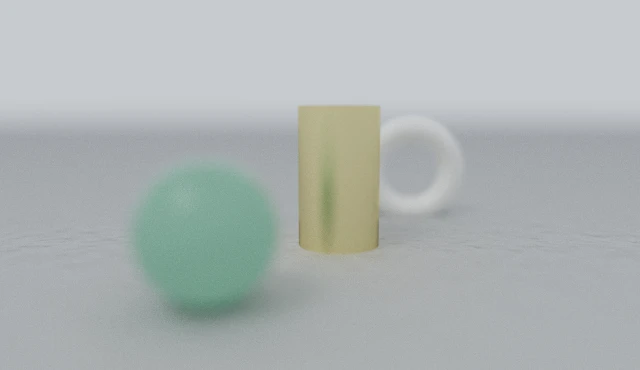
In the fluent API, lens(50, 1.4) means 50mm at f/1.4. It is equivalent to focalLength(50).fStop(1.4). A wider aperture generally needs more samples to resolve the blur.
Scene scale
Depth of field also depends on the scene's physical size. worldUnit tells the renderer how many millimetres one scene unit represents.
The default is 1000, or one metre. The examples above use worldUnit(100). Here is the same 50mm lens at f/1.4 with that setting removed:
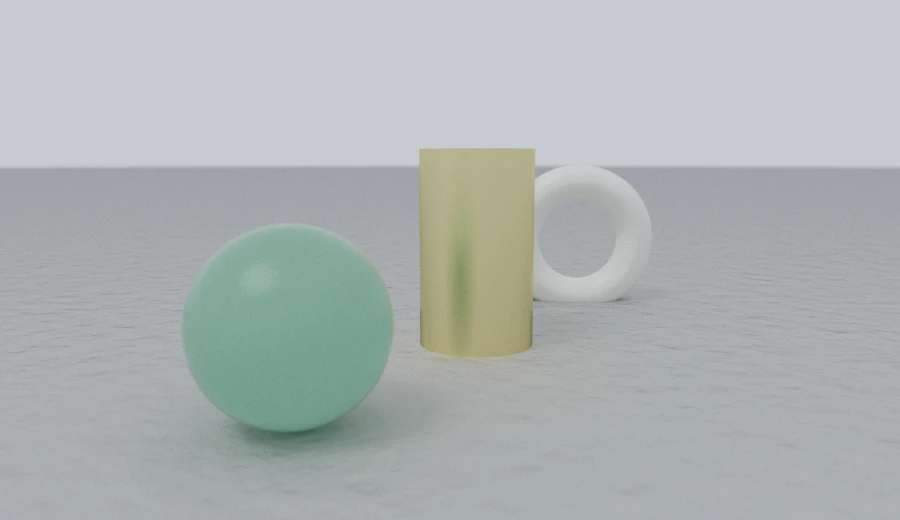
At the default scale, this is roughly four metres of pottery viewed from five metres away, with much less visible blur. At worldUnit(100), the arrangement is about 40cm across. Set the scale before adjusting depth of field.
The generated shader
The compiler converts these settings into the same two constants used by the earlier camera:
// 50mm at f/1.4 on a 36mm sensor; one world unit is 100mm.
const vec3 camPos = vec3(0.0, 0.05, -3.5);
const mat3 camBasis = mat3(vec3(1.0, 0.0, 0.0), vec3(0.0, 0.99020, 0.13964), vec3(0.0, -0.13964, 0.99020));
const float camZoom = 2.777778;
const float camAperture = 0.178571;
const float camFocus = 4.2;
camZoom is 2 * focalLength / sensor. camAperture is focalLength / (2 * fStop * worldUnit). The shader therefore needs no millimetre conversions. Without fStop, it omits the lens-sampling code.
A wider gamut
The tracer calculates light, then applies tone mapping and gamma encoding for display. colorSpace now lets us choose which RGB colour space these values use:
const handle = render(canvas, spec, { colorSpace: 'display-p3' })
handle.colorSpace // 'display-p3', or 'srgb' if this browser had none to give
'srgb' is the default. 'display-p3' supports a wider range of colours, particularly saturated reds and greens, on compatible displays.
The scene is traced in the selected space. Colour values are interpreted in that space, rather than converted from sRGB afterwards.
Wide-gamut output needs browser and display support. Where it is unavailable, the canvas falls back to sRGB. Read handle.colorSpace to check which space the renderer is actually using.
Shapes from corners
Most primitives take dimensions around the origin. triangle(a, b, c, thickness) instead takes three corners in scene coordinates. triangles(faces, thickness) combines a list of faces into one shape:
// One face, three corners, and the half-thickness of the sheet.
triangle([-0.7, -0.95, 0], [0.7, -0.95, 0], [0, 0.35, 0.25], 0.04)

// A tetrahedron, as its four faces — one shape rather than four.
const [a, b, c, d]: Vec3[] = [
  [0.62, 0.62, 0.62],
  [-0.62, -0.62, 0.62],
  [-0.62, 0.62, -0.62],
  [0.62, -0.62, -0.62],
]

triangles(
  [
    [a, b, c],
    [a, c, d],
    [a, d, b],
    [b, d, c],
  ],
  0.045,
)
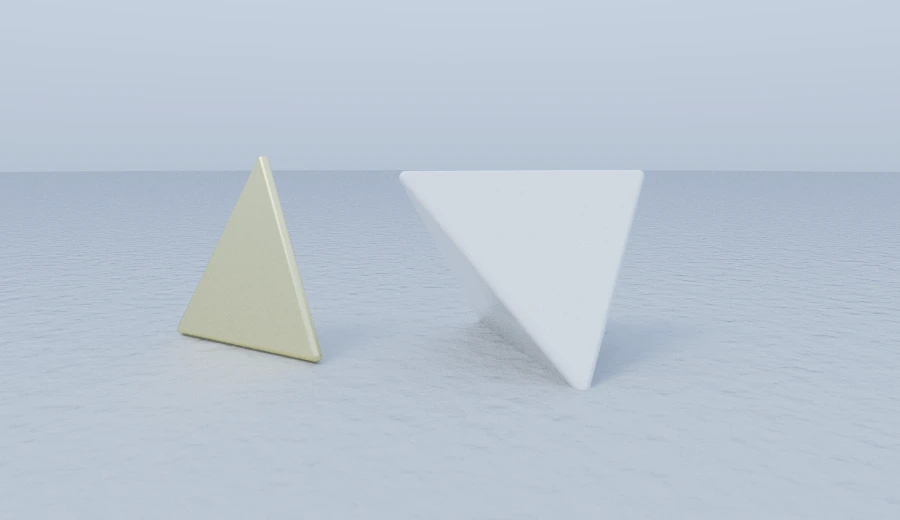
thickness is the half-thickness: the sheet extends that far on each side of its plane, with rounded edges. It must be positive so the shape has an inside. The brass example shows the resulting plate viewed at an angle.
The corners can be given in either winding order. Both sides render, so there is no front/back distinction to manage as there often is with triangle meshes.
Many triangles
For several faces, use the list form:
const SIDES = 6
const CRYSTAL_FACES: Triangle[] = []
const girdle = (i: number): Vec3 => [
  0.5 * Math.cos((i / SIDES) * Math.PI * 2),
  -0.12,
  0.5 * Math.sin((i / SIDES) * Math.PI * 2),
]
for (let i = 0; i < SIDES; i++) {
  const a = girdle(i)
  const b = girdle(i + 1)
  CRYSTAL_FACES.push([[0, 0.92, 0], a, b], [[0, -0.72, 0], a, b])
}

triangles(CRYSTAL_FACES, 0.03).rotateY(0.35).paint(materials.jade)
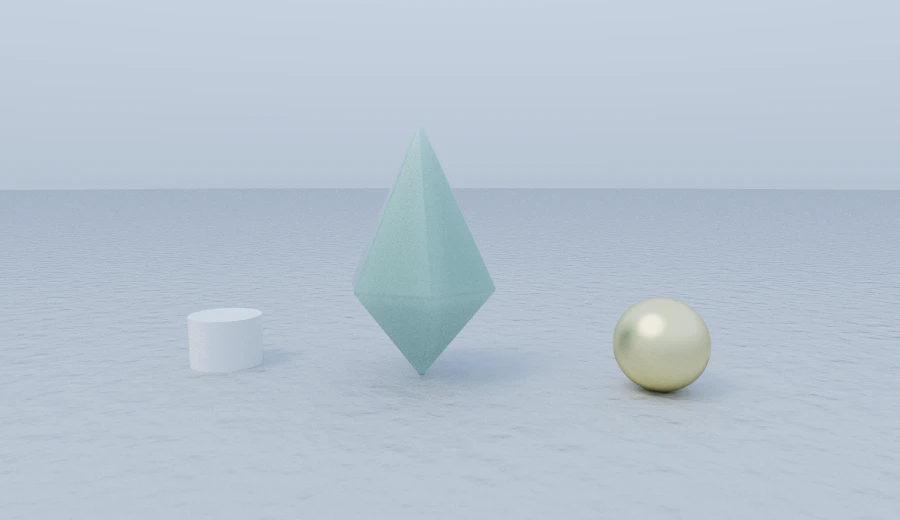
The loop creates twelve faces. We can rotate, paint and combine the resulting node with the floor just as we would a sphere.
The array form combines the face distances with one min per face. It shares one thickness and avoids constructing a separate scene node for each triangle.
float s3 = udTriangle(q2, vec3(0.0, 0.92, 0.0), vec3(0.5, -0.12, 0.0), vec3(0.25, -0.12, 0.43301));
s3 = min(s3, udTriangle(q2, vec3(0.0, -0.72, 0.0), vec3(0.5, -0.12, 0.0), vec3(0.25, -0.12, 0.43301)));
// … ten more …
float d4 = s3 - 0.03;
You can describe more complex shapes this way, but large triangle counts will be much slower than conventional mesh rendering.
Extras
Some primitives now live in a separate extras package. I expect to put more additions there so the core can stay small.
Putting it together
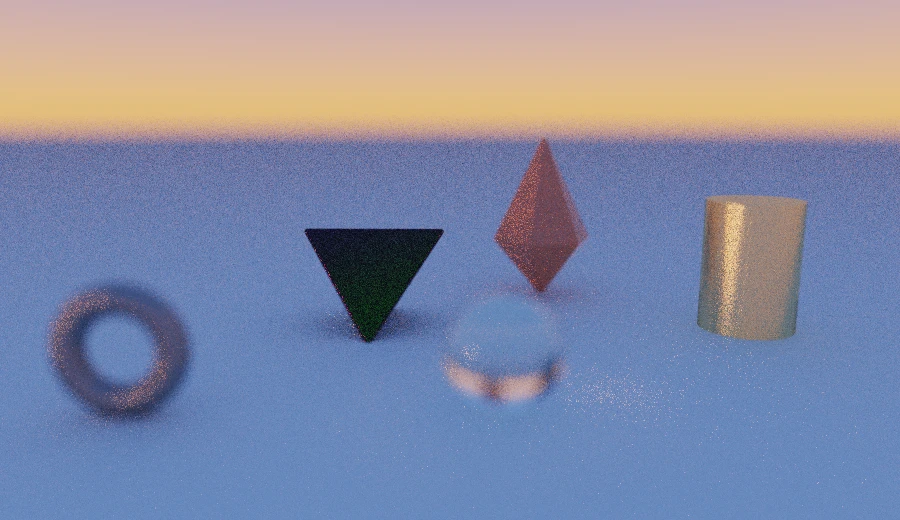
Here are a crystal and tetrahedron built from corners, a brass column, an iron ring and a glass sphere, viewed through a wide-aperture 50mm lens:
Installing
pnpm add scenic-draft       # the library, still dependency-free
pnpm add scenic-draft-react # the component, and both dialects with it
pnpm add scenic-draft-extras # the extras package
Licence
Version 0.20.0 also added a licence. All scenic-draft packages use PolyForm Noncommercial 1.0.0.
It allows free use for personal projects, study, teaching, charities, schools, universities and public bodies. Commercial use is a separate conversation.
As usual, documentation lives at scenic-draft.pages.dev.
Appendix: Migrating zoom and aperture
To migrate an older scene, use these conversions. With the default 36mm sensor, multiply zoom by 18 to get focal length:
| Was | Is |
|---|---|
zoom: z | focalLength: 18 * z — 2.2 is 40mm, 2.5 is 45mm |
aperture: a | fStop: focalLength / (2 * a * worldUnit) |
.zoom(2.3) | .focalLength(41) |
.zoom(2.4).aperture(0.05) | .lens(43, 4).worldUnit(100) |
The old fields have been removed, so TypeScript will flag scenes that still use them. Orthographic framing still uses height; focalLength only contributes to its depth-of-field calculation.