
Rendering Scenic Draft Scenes to Image Files
We've looked at scenic-draft in the browser and with React. Let's now save a scene as an image file for a poster, texture or README.
scenic-draft-playwright runs the library's renderer in headless Chromium, then saves the canvas when rendering finishes. The scene code is the same as in the browser.
Running a whole browser to render a small scene feels a little excessive, but it means there is only one renderer to maintain.
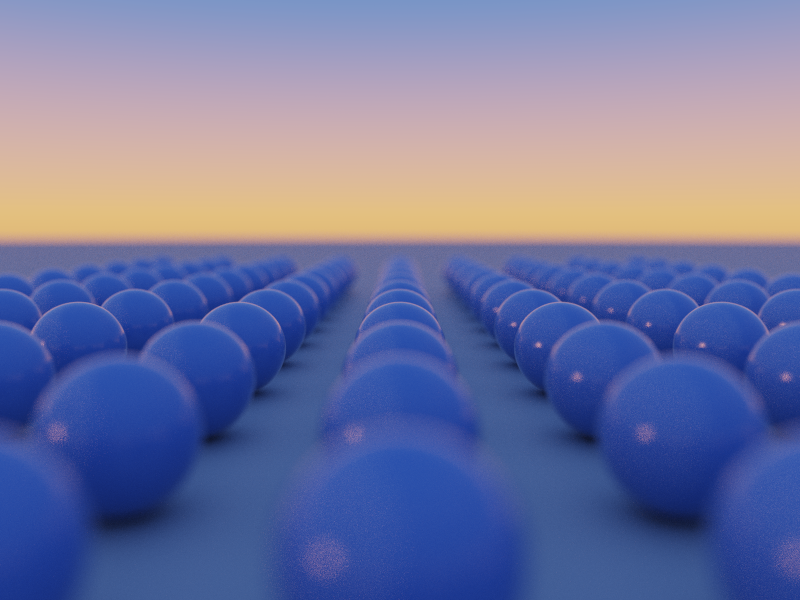
Let's see how we can create this image:
The project
We need a package file, a TypeScript config and one script:
mkdir scenic-draft-headless && cd scenic-draft-headless
npm init -y
In package.json, set the module type and a script to run the example. tsx makes it simple to run TypeScript.
{
  "type": "module",
  "scripts": {
    "start": "tsx example.ts"
  }
}
"type": "module" matters here: the script below uses top-level await and the packages ship ESM only.
The dependencies
pnpm add scenic-draft scenic-draft-fluent scenic-draft-playwright
pnpm add -D playwright tsx typescript
pnpm exec playwright install chromium
The TypeScript config
Generate a config using the local TypeScript installation:
pnpm exec tsc --init
The parts of tsconfig.json that actually matter are module and target:
{
  "compilerOptions": {
    "module": "nodenext",
    "target": "esnext",
    "strict": true,
    "verbatimModuleSyntax": true,
    "moduleDetection": "force",
    "skipLibCheck": true
  }
}
nodenext tells TypeScript to use Node's module resolution, including the packages' exports maps.
The scene
import { renderToFile } from 'scenic-draft-playwright'
import {
  backgrounds,
  camera,
  draft,
  materials,
  plane,
  sphere,
} from 'scenic-draft-fluent'

const scene = draft(
  sphere(0.3)
    .paint(materials.lacquer([0.14, 0.3, 0.62]))
    .repeat([1.05, 0, 1.05], [4, null, 7])
    .translate([0, -0.62, 1.5])
    .union(plane([0, 1, 0], -0.92).paint(materials.concrete)),
  backgrounds.sunset,
).withCamera(
  camera([0, 0.15, -4.4], [0, -0.45, 2])
    .lens(45, 3.2)
    .worldUnit(100)
    .focus(5.2),
)

await renderToFile(scene, 'output/example.png', {
  width: 800,
  height: 600,
  maxFrames: 1000,
})
Most of this is the same scene code we would use in a browser. repeat([1.05, 0, 1.05], [4, null, 7]) makes a grid from one sphere, with 1.05 units between centres on X and Z.
The counts give four copies on either side of the centre on X and seven on Z. The zero Y spacing prevents vertical repetition. The shader evaluates one sphere per step, after mapping the point into its cell.
The camera sits close to the ground at y: 0.15, looking slightly down. lens(45, 3.2) sets a 45mm lens at f/3.2, and focus(5.2) selects the focus distance. Each scene unit represents 10cm.
The near spheres blur while those further away are sharper. backgrounds.sunset lights the scene, giving the concrete a warm colour near the horizon and the spheres cool reflections on top.
The last four lines save the image. renderToFile(spec, output, options) chooses the format from the extension, creates any missing directories and returns { path, format, width, height, frames, bytes }.
maxFrames sets the number of samples per pixel. More samples reduce noise; the file is written when they have all accumulated.
pnpm start
Learn More
- You can read more at scenic-draft.pages.dev/headless, with four more worked examples.
- The guide and API reference cover the scene vocabulary itself.
- You can see this project on GitHub.